Command Line Interface-CLI
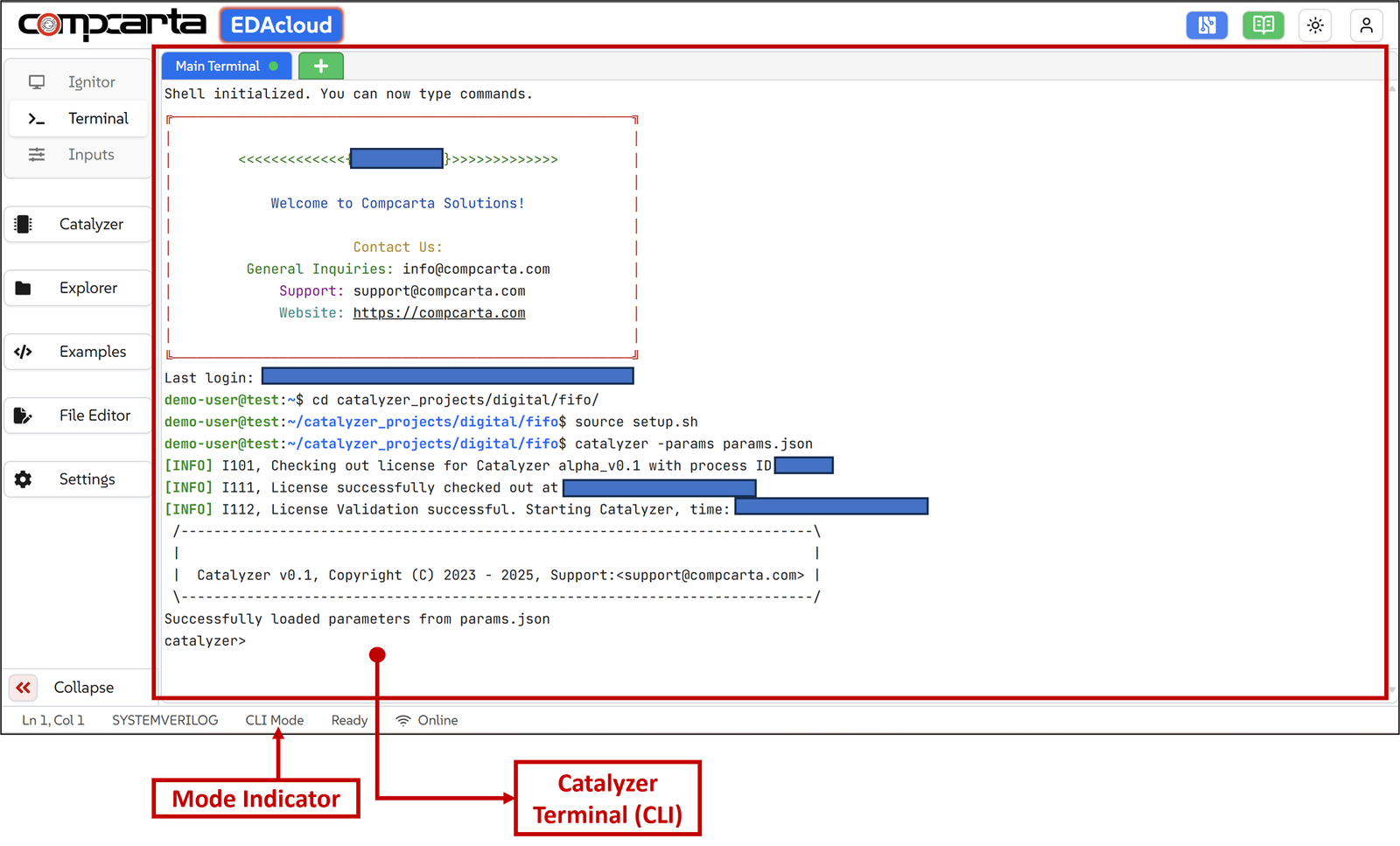
Using The platform provided terminal, users can access command line shell of various tools. The terminal is like any other linux terminal. There are various commands available for the users.
Directory Structure
As a user activates their license, a work area is created for them with a pre-defined directory structure.
This is how the directory structure looks like:
.
└── catalyzer_projects
├── digital
    ├── <design_name>
    │   ├── inputs
    │   │   ├── design
    │   │   │   └── <design_files>.v
    │   │   ├── testbench
    │   │   │   └── <testbench_files>.v
    │   │   ├── <design_name.sdc>
    │   │   ├── cdc_constraints.tcl
    │   │   ├── design_config.tcl
    │   │   ├── tech_config.tcl
    │   │   ├── src.f
    │   │   ├── tb.f
    │   ├── params.json
    │   ├── run
    │   └── setup.sh
Description of the above directory structure:
catalyzer_projects: A dedicated top-level directory created for each user to store and manage all their projects.
<design_name>: Represents a user project within the platform. This can be a project created from scratch, loaded from available examples, or imported from a local device or the Ignitor tool.
inputs: This directory contains Catalyzer's input files including design and testbench files and TCL configuration script for designs.
design: This is the 'design' directory where all the design RTL files are located.
testbench: This is the 'testbench' directory where all the testbench files are located.
design_name.sdc: Specifies constraints and rules for clock domain crossing (CDC) analysis, guiding the tool in identifying valid crossings and detecting potential synchronization issues.
design_config.tcl: Below is the screenshot of design_config.tcl script. This script sets up all the design related environment variables and configuration parameters for the particular project.
# Define Design Data
set ::env(DESIGN_NAME) sdrc_top
set ::env(TB_TOP) sdrc_top_tb

set ::env(DESIGN_FILE_LIST) /home/demo_user/catalyzer_projects/sdram_contr
oller/inputs/src.f
set ::env(TB_FILE_LIST) /home/demo_user/catalyzer_projects/sdram_controlle
r/inputs/tb.f

# Define SDC Constraints Data
set ::env(SDC_FILE) $::env(RUN_PATH)/inputs/sdrc_top.sdc

# CDC information
set ::env(CDC_SDC) $::env(RUN_PATH)/inputs/sdrc_top.sdc
set ::env(CDC_CONSTRAINTS) $::env(RUN_PATH)/inputs/cdc_constraints.tcl

# Clock information for synthesis
set ::env(CLOCK_PORT) "io_in sdram_clk wb_clk_i"
set ::env(CLOCK_PERIOD) 10
set ::env(CLOCK_NET) $::env(CLOCK_PORT)

set ::env(PNR_SDC_FILE) $::env(RUN_PATH)/inputs/sdrc_top.sdc

set ::env(WAVEFORM_FORMAT) "fst" ; # vcd, fst, saif, or none

#set ::env(SIM_COMPILE_OPTIONS) "--Wno-PINMISSING --Wno-TIMESCALEMOD --Wno-
WIDTHEXPAND --Wno-WIDTHTRUNC --Wno-CASEINCOMPLETE --Wno-UNOPTFLAT"
set ::env(SIM_RUN_OPTIONS) ""
tech_config.tcl: Below is the screenshot from tech_config.tcl script. This script sets up all the technology related environment variables and configuration parameters for the particular project.
# PDK and Library Selection
set ::env(PDK) "<pdk_name>"                          ;# e.g., sky130A, gf180
set ::env(PDK_ROOT) "<path_to_pdk_root>"             ;# Root directory containing PDK libraries and tech files
set ::env(STD_CELL_LIBRARY) "<std_cell_lib_name>"    ;# Standard cell library (e.g., hd, hs, lp variants)

# LEF Files
set ::env(TECH_LEF) "<path_to_tech_lef_file>"        ;# Technology LEF defining layers and rules
set ::env(STANDARD_CELL_LEF) "<path_to_stdcell_lef>" ;# LEF file for standard cells

# Merged LEF (used during signoff if required by tools)
set ::env(MERGED_LEF) "<path_to_merged_lef>"         ;# Combined LEF including tech + cells + macros

# Lib Files
set ::env(TYPICAL_LIB_FILES) "<path_to_typical_lib>" ;# Typical corner (.lib)
set ::env(FAST_LIB_FILES) "<path_to_fast_lib>"       ;# Fast corner (.lib)
set ::env(SLOW_LIB_FILES) "<path_to_slow_lib>"       ;# Slow corner (.lib)

# RC Extraction File
set ::env(EXTRATION_FILE) "<path_to_rc_extraction_tcl>" ;# RC tech file for parasitic extraction

# Power/Ground Definitions
set ::env(VDD_PIN) "<vdd_pin_name>"                  ;# Power pin name (e.g., VDD, VPWR)
set ::env(GND_PIN) "<gnd_pin_name>"                  ;# Ground pin name (e.g., VSS, VGND)

set ::env(VDD_NETS) "<vdd_net_names>"                ;# Power nets (space-separated if multiple)
set ::env(GND_NETS) "<gnd_net_names>"                ;# Ground nets (space-separated if multiple)

set ::env(STD_CELL_POWER_PINS) "<stdcell_power_pins>"   ;# Power pins in std cells (e.g., VPWR VPB)
set ::env(STD_CELL_GROUND_PINS) "<stdcell_ground_pins>" ;# Ground pins in std cells (e.g., VGND VNB)

# Timing Corners Definition
set ::env(CORNERS) "<corner_list>"                  ;# Space-separated list (e.g., TYPICAL FAST SLOW)
src.f: The src.f is a RTL file list used to organize and manage all Verilog and SystemVerilog source files required for the design. src.f is required to compile the design with all necessary dependencies.
Typically src.f contains:
- RTL source files (.v, .sv)
- Language switch (-sv for systemVerilog files)
- Include directories (+incdir+), to specify paths that contain header files with .vh or .svh extenstion. There is no need to provide absolute path for each header file, specifying the relative path is sufficient.
- -f option allows referencing another .f file, enabling nested file lists for better modularity and organization.
- Preprocessor macro definitions (+define+) to define macros which can be used for conditional RTL compilation, or during synthesis. These preprocessor macros are directly consumed in verilator or yosys. There are 4 ways to define those in the src.f file-
- +define+<NAME> : for `define
- +define+<NAME>=<VALUE> : for `define with value
- -D<var> : for `define
- -D<var>[=<value>] : for `define with value
The image below shows a sample src.f file.
+define+ASYNC_RESET
+incdir+/home/demo_user/catalyzer_projects/sdram_controller/inputs/design
-f /home/demo_user/catalyzer_projects/sdram_controller/inputs/design/nested_src.f
-sv /home/demo_user/catalyzer_projects/sdram_controller/inputs/design/ctech_cells.sv
-sv /home/demo_user/catalyzer_projects/sdram_controller/inputs/design/wb_stagging.sv
-sv /home/demo_user/catalyzer_projects/sdram_controller/inputs/design/async_fifo.sv
/home/demo_user/catalyzer_projects/sdram_controller/inputs/design/sdrc_req_gen.v
/home/demo_user/catalyzer_projects/sdram_controller/inputs/design/sdrc_top.v
/home/demo_user/catalyzer_projects/sdram_controller/inputs/design/sdrc_bank_ctl.v
/home/demo_user/catalyzer_projects/sdram_controller/inputs/design/clk_skew_adjust.v
/home/demo_user/catalyzer_projects/sdram_controller/inputs/design/sdrc_core.v
/home/demo_user/catalyzer_projects/sdram_controller/inputs/design/sdrc_bank_fsm.v
/home/demo_user/catalyzer_projects/sdram_controller/inputs/design/sdrc_xfr_ctl.v
/home/demo_user/catalyzer_projects/sdram_controller/inputs/design/wb2sdrc.v
/home/demo_user/catalyzer_projects/sdram_controller/inputs/design/sdrc_bs_convert.v
tb.f: This file contains the location of the testbench file.
params.json: This JSON file is used to configure the Catalyzer shell by setting the necessary environment variables required for a user to work within the Catalyzer environment. It is unique to each project.
setup.sh: This is a setup file required to set paths related to tool setup, license, run directory etc. This needs to be sourced first to set up the working environment.
These directories and various files generated under each stage are explained in detail in chapter Stage-wise Files & Reports.
Catalyzer Shell
Steps to launch Catalyzer shell on the Terminal:
-
Source the ’setup.sh’ file present in the catalyzer projects/digital/
<project_name>directory. -
Run the following command:
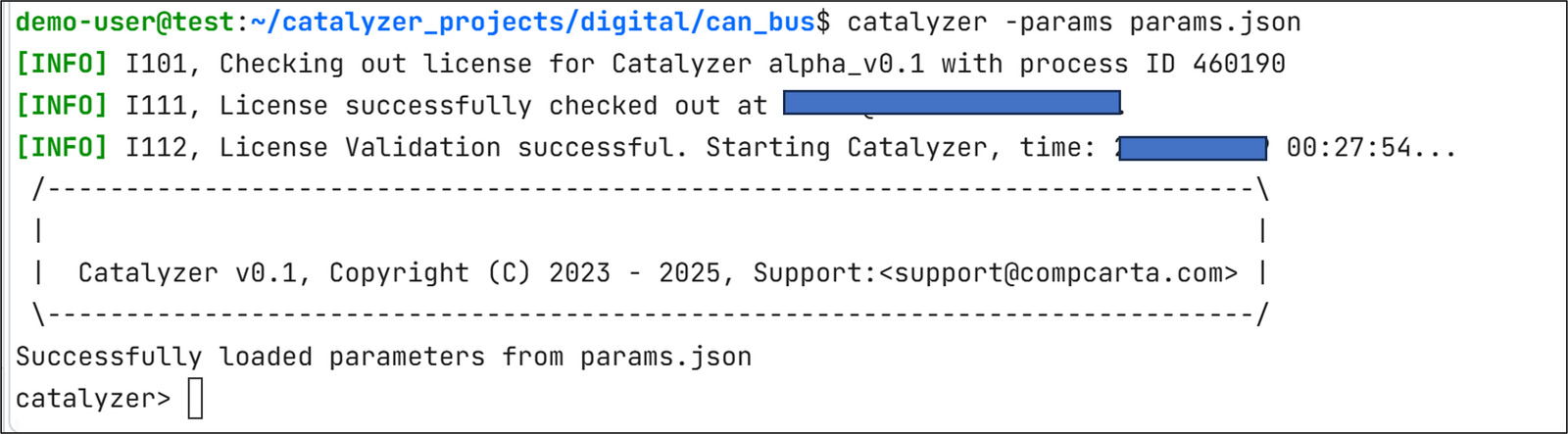
catalyzer -params params.json
The ’params.json’ file is automatically created for the user once a new project is created from the Catalyzer GUI.
The above command launches Catalyzer shell for the users to start working on. The output of this command looks like this:
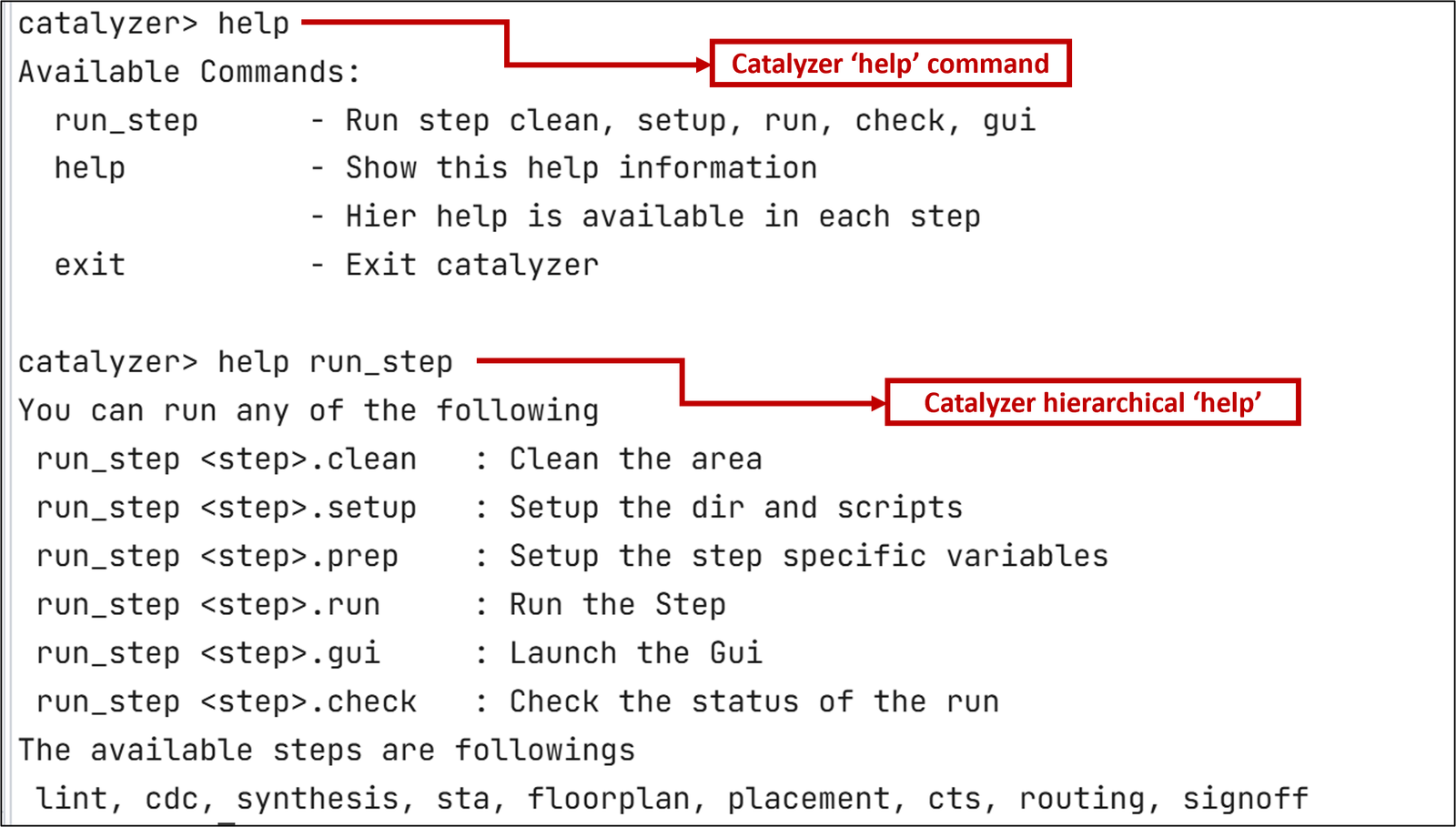
User can use ’help’ command on the Catalyzer shell to view available commands on Catalyzer to start working on a project. Hierarchical ’help’ is also available.